




RIPRO美化点击铃铛按钮弹公告窗
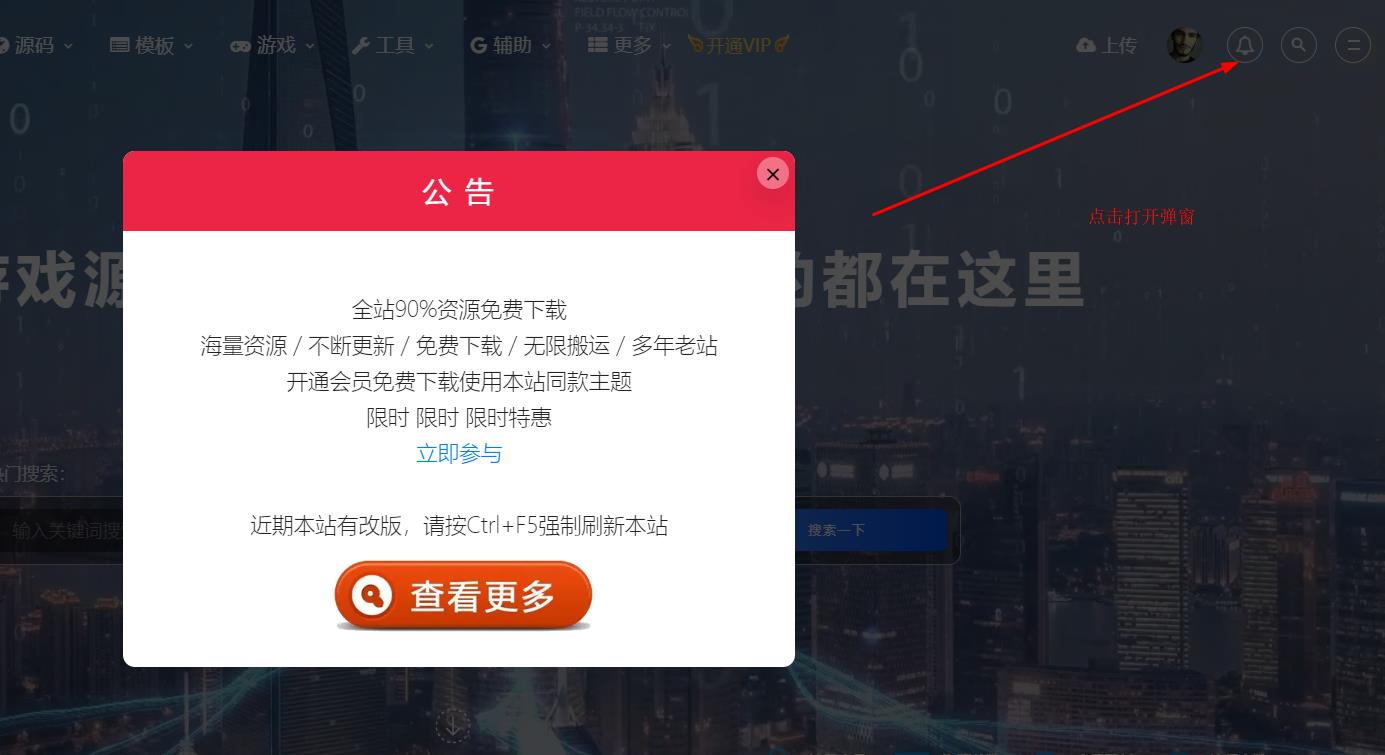
铁子们,教程如下
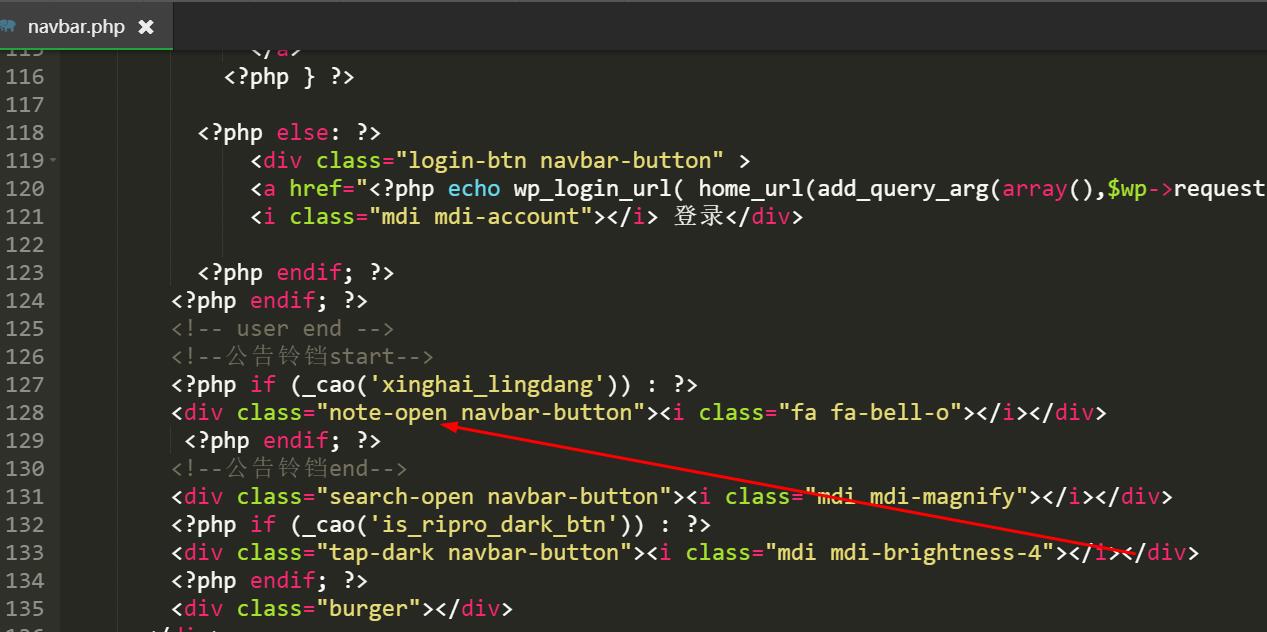
1.打开/themes/ripro-chlid/parts/navbar.php文件,ctrl+f搜索‘登录’,添加下面铃铛icon代码在登录和搜索放大镜代码之间
<div class=”note-open navbar-button”><i class=”fa fa-bell-o”></i></div>
2.添加js代码,任意自定义js文件或者footer.php底部调用
// 小铃铛弹出公告
function notify(){
‘use strict’;
$(‘.note-open’).on(‘click’, function(){
Swal.fire({
html: caozhuti.site_notice.html,
background: caozhuti.site_notice.color,
showConfirmButton: false,
width: 560,
padding: ‘0’,
// allowOutsideClick:false,
showCloseButton: true,
}).then((result) => {$.cookie(‘cao_notice_cookie’, ‘1’, { expires: 1 })})
})
$(function() {
if (caozhuti.site_notice.is == 0) {return false;}
if($.cookie(“cao_notice_cookie”)==null){
}
});
}

第一步:
添加以下代码到css,注意修改图片链接
/*弹窗公告美化*/
.notify-content {
background-image: url(自定义你的背景图片地址);
background-size: cover;
height: 430px;
width: 100%;
border-radius: 10px;
font-size: 35px;
}
.notify-content h3 {
letter-spacing: 2px;
padding: .8em;
text-align: center;
font-size: 24px;
font-weight: 400;
background: #ec2546;
border-radius: 3px 3px 0 0;
margin: 0;
margin-bottom: 0;
color: #FFFF;
}
.notify-content div {
padding: 50px 30px 30px;
margin: 0;
font-weight: 300;
font-size: 18px;
color: #222;
text-align: center;
line-height: 30px;
}
@media (max-width: 768px) {
.notify-content {
height: 100%;
}
.notify-content h3 {
padding: 100px 0 0 0;
font-size: 16px;
}
.notify-content div {
padding: 50px 30px 30px;
font-size: 14px;
line-height: 25px;
}
第二步:
进入后台主题基本设置
1、开启全站弹窗公告
2、全站弹窗公告-标题 填写公告标题
3、内容 添加如下代码,注意群链接
抢先预订赠送价值188元高端子主题美化包<br>
海量资源 / 不断更新 / 免费下载 / 无限搬运 / 多年老站
<br>
终身VIP原价299元 限时活动价99元
<br>
限时 限时 限时特惠
<br>
<a href=”/vip” class=”shanlian lianzi” target=”_blank”>立即参与</a>
<br>
<br>
近期本站有改版,请按Ctrl+F5强制刷新本站
<a href=”//shang.qq.com/wpa/qunwpa?idkey=9c605e6c567c9b40498fa0df91b22d708a45759273f2c0c7ffb860594043aceb” title=”加入用户交流QQ群” target=”_blank”>
<img src=”https://cdn.zkww.site/2020/11/1605236566-d7cfcb9b7a01964.png” class=”qqun” alt=”加入用户交流QQ群” style=”width: 50%;margin: 0 auto”></a>
最后保存即可

